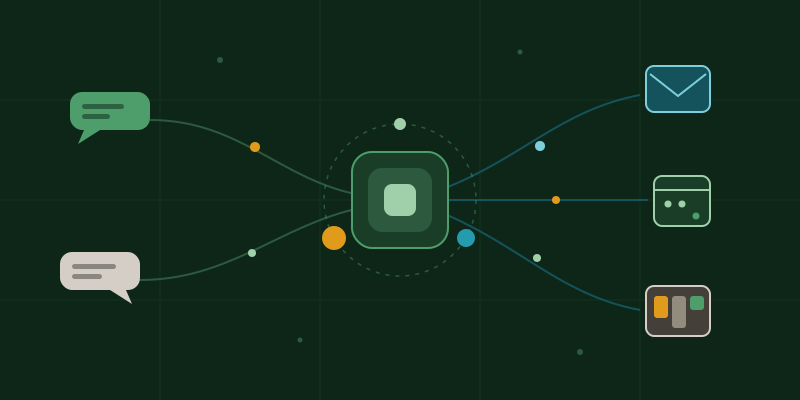
This morning I sent a text asking whether I had any meetings today. The reply came back about fifteen seconds later: nothing on the calendar, completely clear. A perfectly ordinary exchange, except the thing on the other end wasn't a person. It was my laptop, sitting on a desk in the other room, having just checked my personal calendar.
For the last couple of months I've been building something I call KieranOS, which is a spectacularly grand name for what is essentially a personal assistant that lives on my MacBook. If you read Too Much of a Good Thing, this is the "AI OS" I mentioned building in between starting far too many other projects. Well, it's live now. It reads my email, watches my calendar, runs my issue tracker, edits my projects, publishes posts to this very website, and answers my texts. So I thought it deserved a post of its own: what it actually is, how it works, and the day it got stuck in a loop talking to itself.
The version that didn't work
I'll start with the confession, because the failure is more useful than the success.
The first version of KieranOS was a chat window wired straight to an AI model's API. You typed a request, it sent your words off to the model, and text came back. Simple. It also produced noticeably worse results than just talking to Claude through its own tools, which was maddening, because it was the same model. Same brain, worse answers. I had accidentally built a worse version of a thing that already existed, which I suspect is a rite of passage for every home-grown software project.
The reason turned out to be embarrassingly obvious once I saw it. When I worked with Claude directly, it could see things. It read the actual files on my machine, looked at how my website was really structured, checked its work, ran commands. My version gave it none of that. I was asking it to renovate my house by describing the house over the phone.
Same brain, worse answers. The difference wasn't the model, it was the working conditions.
So the rebuild flipped the whole thing around. Instead of treating the AI like a vending machine, dropping a prompt in the slot and waiting for text to fall out, KieranOS now gives it a proper working environment: real access to the files, the tools, and a shared set of written conventions about how my projects hang together. One page of notes describes how this website is structured, what my writing voice sounds like, and what a finished blog post needs to include. Whether I'm working with Claude directly or through KieranOS, both read the same page. Write the rules down once, and every assistant that walks in the door follows them.
How it works, in three sizes
Under the hood the design is mostly about matching the size of the brain to the size of the job, which regular readers will recognise as The Meter Is Always Running turned from a lecture into plumbing.
Small, free models run constantly on the Mac itself. They do the janitorial work: keeping running notes on each project, summarising old conversations, and sizing up each incoming request to decide how much intelligence it deserves. They cost nothing per use, so they can afford to be always on.
The real work goes to Claude, at whichever size fits. A quick factual question gets the small, cheap model. Everyday work gets the mid-size one. Genuine architecture headaches get the expensive one. I don't pick, the system does, and the meter stays sane.
Then there are the connections, which are where it stops being a chatbot and starts being useful. KieranOS plugs into my email, my calendar, my Online Drive, and Kaden, my home-built issue tracker (a story for another post). And it's reachable from my phone through Telegram and iMessage, with a strict allowlist so it ignores everybody who isn't me. Frankly, a feature I'd pay to have on more products.
The day it started talking to itself
Now for the part where I remind everyone that home automation is a contact sport.
Setting up the iMessage connection, I used the message-yourself trick: text your own number and the Mac picks it up. First test went out, and the assistant replied. Lovely. Except on Apple's side of the fence, a reply sent into a message-yourself conversation comes straight back looking like a brand new incoming message. So the assistant saw its own reply arrive, treated it as me saying something, and replied to it. Which came back. Which it replied to.
By the time I looked at the logs it had been sitting there patiently telling itself "Standing by." and "Still looping — no new input from you yet" every ten seconds or so. Unfailingly polite, completely stuck, and, this is the important bit, every single pleasantry was billed to my account. It had effectively become a very small, very courteous money furnace.
Autonomy plus a feedback loop equals a bill. Always know how the loop stops.
The fix took ten minutes: teach it to recognise its own voice and not answer it. But the lesson generalises to every autonomous system I've ever worked with, corporate or hobbyist. The question isn't "what can it do", it's "what makes it stop". Ask that one early.
What it's actually for
Strip away the plumbing and the day-to-day value comes down to four things.
Triage from anywhere
From my phone: what's in my inbox, what needs a reply, what's on this week. Thirty-second answers to questions that used to mean sitting down and opening six tabs.
Ideas become tickets, tickets become work
I can describe a feature while out walking and it lands in my issue tracker as proper tickets. Later I can say "complete that issue" and it moves the ticket to In Progress, makes the change in the actual project, records what it did, and marks it Done.
Publishing
A blog post on this site needs the article, a banner illustration, a social image, an updated listing page and a LinkedIn blurb. That's now one request. This post you're reading went through exactly that pipeline.
One assistant that knows the whole shop
Because it lives with my projects rather than in a browser tab, it carries context between them. It knows what the website's conventions are, what's on the board, and what I decided last week, without me re-explaining any of it.
None of this is magic. Every one of those items is something I could do myself in ten or fifteen minutes. But that's rather the point: it's ten or fifteen minutes, times everything, forever. The wins are boring and they compound.
Useful, not just impressive
The tagline of this whole site is "useful, not just impressive", and KieranOS is my current best attempt at living it. Nothing in it is a research breakthrough. It's off-the-shelf models, a home-built tracker, a few hundred lines of glue code, and a written page of house rules, assembled with the same principle I'd give any client: give the tool real access to real work, size the spend to the task, and always, always know how the loop stops.
Did the AI write this post? We wrote it together, through the exact workflow the post describes, which I believe makes this the most honestly manufactured article on the internet this week. The opinions, the mistakes and the phone bill remain entirely mine.